HTTP error guide: 404, 301, 403, 500, 410 and 302
HTTP status codes are three-digit numbers that tell the browser (and Google) what’s happening with the page you’re trying to load. Here’s the meaning and the fix for the most common ones.
Published on · Updated on · 9 min read
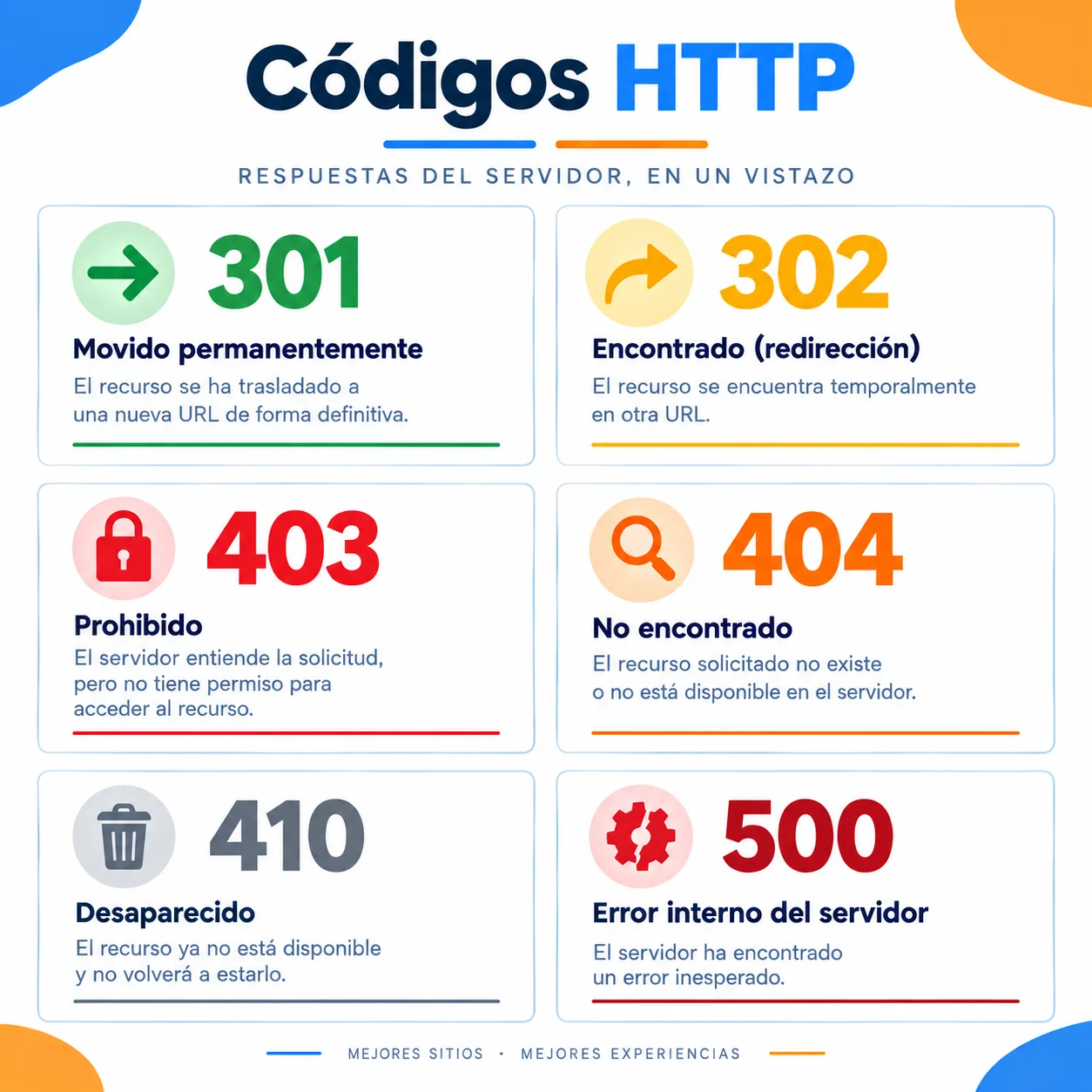
HTTP status codes are three-digit numbers that tell the browser (and Google) what’s happening with the page you’re trying to load.
Here’s the meaning of the most common ones and how to fix them. If you’re starting from scratch, begin with what SEO is and how it works to understand why this affects ranking.
Error 404 (Not Found)
What is the 404 error?
It’s the most famous error. It means the server responded, but it can’t find the file or page you requested.
Why does it happen?
Because you deleted the page, changed the URL (slug) or mistyped the link.
How to fix the 404 error
- Check that the URL is spelled correctly.
- If the page moved, create a 301 redirect to the new address.
- If it no longer exists, customize the 404 page with useful links so you don’t lose the visitor.
- Use SEO tools like Google Search Console to find broken links. Here’s how to set it up in your robots.txt and sitemap XML correctly.
301 Redirect (Moved Permanently)
What is a 301 redirect?
It’s not an error, it’s an instruction. It tells the browser: «This page no longer lives here, it lives somewhere else now.»
What is it for?
It’s vital for SEO. If you change the name of a URL, you use a 301 to send users and Google to the new address without losing web authority.
The user doesn’t even notice; they land on the new page automatically.
How to create a 301 redirect
- From your hosting panel or
.htaccessfile, add the ruleRedirect 301 /old-url /new-url. - On WordPress, use plugins like Redirection or Yoast SEO.
- Verify that the redirect points to a live URL and doesn’t generate redirect chains.
These types of errors are detected quickly in a complete SEO audit in 7 steps.
Error 403 (Forbidden)
What is the 403 error?
The server understands your request, but refuses to fulfill it. You don’t have permission.
Why does it happen?
You’re trying to access a private folder, an admin panel without logging in, or the server has blocked your IP.
How to fix the 403 error
- Check file and folder permissions (usually 644 for files and 755 for folders).
- Check if there’s a
.htaccessfile blocking access. - Verify that your IP isn’t on a server blacklist.
- If it’s your site, make sure you have an
index.htmlorindex.phpfile in the folder.
Error 500 (Internal Server Error)
What is the 500 error?
The server ran into an unexpected problem and doesn’t know what to do. It’s often called the white screen of death.
Why does it happen?
It’s usually a PHP code error, a broken plugin on WordPress or a problem with the database. It’s the «generic error» you have to investigate.
How to fix the 500 error
- Review the server error logs to identify the exact cause.
- Deactivate recent plugins or themes (on WordPress) to see if the error disappears. Here’s the complete white screen of death guide.
- Increase the PHP memory limit if the error is due to lack of resources.
- Restore a backup if the failure appeared after a recent change.
Error 410 (Gone)
What is the 410 error?
Similar to 404, but more definitive. It means the page existed, but has been permanently removed and won’t come back.
Difference from 404
404 is «I can’t find it». 410 is «I deliberately deleted it and I’m not going to put it back».
How to fix the 410 error
- If you deliberately removed the content, the 410 is correct: don’t do anything.
- If it was a mistake, restore the page or create a 301 redirect to a similar URL.
- Check in Search Console that Google removes the URL from its index.
302 Redirect (Found / Temporary)
What is a 302 redirect?
Just like a 301, but temporary. It tells the browser: «Go to this other URL, but only for now».
What is it for?
For maintenance, A/B tests or temporary promotions. Never use it for permanent URL changes, because Google will keep indexing the original.
How to create a 302 redirect
- Configure it from your server or CMS only for temporary situations.
- Remember to remove it when the cause ends (maintenance, promotion, etc.).
- If the change is permanent, switch it to a 301 so you don’t confuse Google.
HTTP status codes summary table
| Code | Name | What does it mean? | Is it an error? | Recommended use |
|---|---|---|---|---|
| 301 | Moved Permanently | The page changed URL forever | No | Permanent URL changes (SEO) |
| 302 | Found / Temporary | The page is on another URL, but only for now | No | Maintenance or temporary tests |
| 403 | Forbidden | You don’t have permission to access | Yes | Private areas, blocked IPs |
| 404 | Not Found | The page doesn’t exist | Yes | Broken links or deleted URLs |
| 410 | Gone | The page existed, but was permanently removed | Yes | Content deleted for good |
| 500 | Internal Server Error | The server failed unexpectedly | Yes | Code, plugin or database errors |
How to detect these errors on your website
Detecting errors in time prevents them from piling up and dragging down ranking. These are the three main ways:
Google Search Console
The Coverage and Experience reports show pages with 404, 500 errors and misconfigured redirects. It’s the most direct starting point.
Crawling tools
Screaming Frog, Sitebulb or similar tools detect all HTTP codes at site level, including redirect chains and broken links.
Server error logs
They identify 500 errors and specific code issues. They’re the most reliable source when Search Console doesn’t give enough detail.
If your website runs on WordPress, complement this with a good WordPress maintenance plan and a review of the Core Web Vitals: what they are and how to improve them.
And if you’re migrating or redesigning your website, first check out this guide on WordPress.com vs WordPress.org, because the platform you choose determines how you’ll manage redirects.
SEO tip: when you do a migration or URL change, plan the 301 redirects before moving anything. A single badly managed 404 can throw away months of ranking. In this real case of +200% traffic step 1 was precisely fixing the inherited redirects from a rebrand.
If you want to review your website thoroughly, a complete SEO audit detects all these errors and prioritizes which to fix first. It also helps you avoid the most common SEO mistakes and improve the CTR of your pages. If your website has structured data, also check the list of schemas by page type.

Do you have HTTP errors on your website?
I detect and fix error codes, misconfigured redirects and technical issues that are dragging down your SEO.