Meta title and meta description: how to optimize them step by step
Two small pieces of text that, in SEO, can be the difference between a click and a lost visit. I explain how to optimize them in 7 steps.
Published · Updated · 11 min read
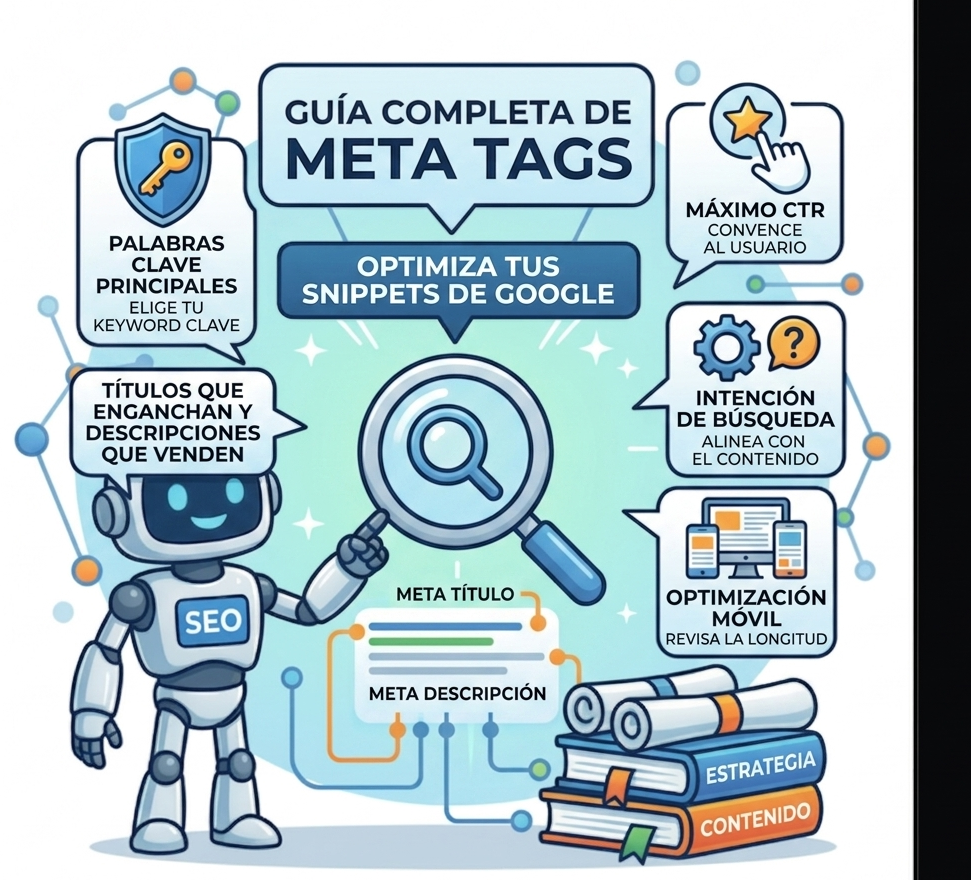
Two small pieces of text that, in SEO, can be the difference between a click and a lost visit.
I’m talking about the meta title and meta description.
They’re the first thing a user sees on Google. And yet, the number of times I see generic titles or empty descriptions is astonishing.
If you don’t optimize these elements, you’re losing clicks. You’re losing traffic. You’re losing customers. And all of this is part of On-Page SEO, the foundation for ranking any page.
Let’s fix it step by step.
What are they and what are they for?
| Element | Where it appears | Main function |
|---|---|---|
| Meta title | Blue title in search results | Tell Google and the user what the page is about |
| Meta description | Grey text below the title | Convince the user to click |
The meta title is a ranking factor. The meta description is not directly, but it influences CTR (click-through rate).
And a good CTR is a signal to Google that your content is relevant. If you want to dive deeper, see how to improve CTR on Google.
Step 1: Choose your main keyword
Before writing anything, be clear on your main keyword.
Example: if you’re writing about «homemade bread», that’s your keyword. Not «bread recipes». Not «easy bread». «Homemade bread.»
Once you have it, use it once in the title. Don’t overdo it. If you’re unsure about the choice, here’s how to choose keywords wisely.
Think about search intent
| Intent | Example | Appropriate title |
|---|---|---|
| Informational | «How to make homemade bread» | «Homemade bread: easy step-by-step recipe» |
| Transactional | «Buy homemade bread» | «Buy artisan homemade bread online» |
| Navigational | «María’s Bakery» | «María’s Bakery: quality homemade bread» |
Aligning title and intent = more clicks. Here’s how to identify search intent with AI Mode.
Step 2: Write a meta title that hooks
Winning structure:
[Main keyword] + [Benefit] + [Brand (optional)]
Examples:
- ❌ Bad: «Homemade bread | My cooking blog»
- ✅ Good: «Homemade bread in 5 steps: easy, fluffy recipe»
- ✅ Best: «Perfect homemade bread: easy step-by-step recipe | Cooking with María»
Golden rules:
- ✅ Maximum 60 characters (Google cuts off after this)
- ✅ Main keyword at the beginning
- ✅ Include a benefit or promise
- ✅ Be unique (don’t copy your competition)
- ✅ Use numbers and power words (definitive, complete, step by step)
The trick: analyze your competitors’ titles. Don’t copy them. Make them better.
Step 3: Write a meta description that invites clicks
Winning structure:
[Context + keyword] + [Benefit] + [Call to action]
Examples:
- ❌ Bad: «This article talks about homemade bread.» (boring)
- ✅ Good: «Learn to make fluffy homemade bread in just 5 steps. Simple ingredients and foolproof tricks. Click and get started!»
- ✅ Best: «Want perfect homemade bread? Discover the easy step-by-step recipe with baker’s tricks. Forget supermarket bread. Try it!»
Golden rules:
- ✅ Maximum 160 characters
- ✅ Include the main keyword (Google highlights it in bold)
- ✅ Solve the search intent
- ✅ Include a call to action (CTA)
- ✅ Be unique for each page
The trick: make a promise in the description and keep it in the content. If you say «5 steps», let them be 5 clear steps.
Step 4: Check the length on mobile
Google displays titles differently on mobile and desktop.
On mobile, space is tighter. A title that works on desktop can get cut off.
How to check it:
- Use SEO tools, free or paid, like Yoast SEO or Rank Math
- Search for your page on mobile and see how it looks
- If it’s cut off, shorten it or move the keyword to the beginning
Step 5: Optimize for AI (GEO)
AI (like Google’s AI Overviews) also reads your meta titles and descriptions.
Keys for AI:
- ✅ Use questions in your title
- ✅ Be clear and direct
- ✅ Structure your content with FAQs
Example:
| For classic SEO | For AI (GEO) |
|---|---|
| «Meta title optimization» | «How to optimize meta titles step by step?» |
AI prefers concrete answers to concrete questions. If you want to dive deeper, see this guide on how to optimize your website for AI (GEO).
Step 6: Align title, description and content
Common mistake: optimizing the meta title without looking at the page content.
Title and description must be a faithful reflection of the content.
How to do it right:
- Write the content first
- Make sure it’s complete and valuable
- Write the meta title and description based on the real content
- Align the H1 with the meta title (they don’t have to be identical, but they should be coherent). Here’s a H1, H2 and H3 hierarchy guide.
Step 7: Measure and improve
This isn’t «set and forget». SEO is dynamic.
What to do:
- ✅ Measure CTR in Google Search Console
- ✅ If CTR is low and position is good, change the title
- ✅ Regularly update titles and descriptions
If you want a complete system, see how to do a complete SEO audit in 7 steps.
Tools to optimize them
| Tool | Function |
|---|---|
| Yoast SEO / Rank Math | SERP preview in WordPress |
| Google Search Console | Measure real CTR of your pages |
| Portent Snippet Generator | See how your title looks on Google |
| SEO Meta in 1 Click | Chrome extension to see metadata of any website |
| Alex Figueiras SEO Audit | Complete checklist to review all your meta titles |
Optimizing them will take you no more than 5 minutes per page. Those 5 minutes can translate into hundreds of additional clicks per month.
If you’d rather have a professional do it for you, I review your website’s meta titles and descriptions, rewrite them with criteria and give you a clear plan to improve them. Tell me about your project and I’ll reply within 48 hours.

Want to improve your pages’ CTR?
I optimize your meta titles and descriptions so you gain clicks without having to touch the content.